If you have purchased a BlueZone single user license, you received a BlueZone Installation Key. Single user license holders
must run the SEAGULL Registration Wizard to complete the installation process.
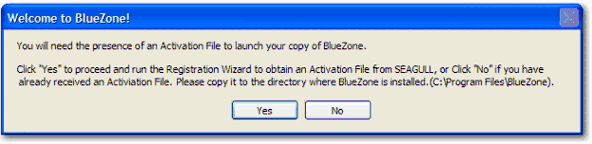
After installing BlueZone, the first time you start a BlueZone session, you receive the following message:
|
1. |
Click Yes to launch the Registration Wizard. |
|
2. |
Type in the appropriate information in all of the fields. All fields are required. |
|
4. |
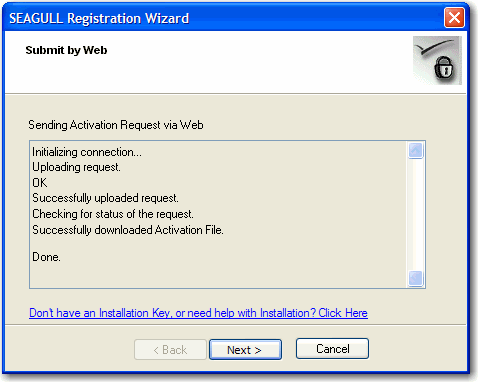
Select the via Web (requires direct Internet connection) radio button and click Next.The Registration Wizard connects to the Registration Wizard server, exchanges information, then downloads the Software Activation
File:
|
|
5. |
Click Next. The Registration Wizard shows the full path where it placed the Software Activation File in your BlueZone installation directory.
|