After the installation is complete, SEAGULL FTP can be executed by double-clicking the SEAGULL FTP Desktop Icon.
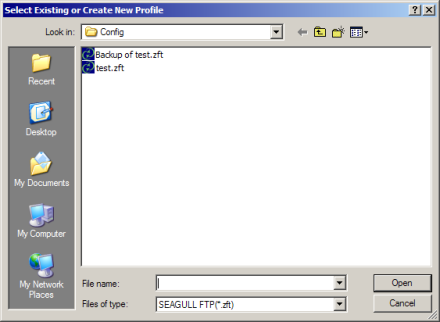
Upon program execution, you will immediately be presented with a standard Windows file dialog as shown:
With your mouse choose an existing file name from the list...
or
Enter a new file name in the File Name box and click the Open button. You will be prompted with a message that the file does not exist. Click the OK button.
The SEAGULL FTP application will now launch.
In addition SEAGULL FTP can be launched via a Command Line Switch.
 SEE
Launching
from a Command Line for more information.
SEE
Launching
from a Command Line for more information.