Use BlueZone Plus VBA
In order to run BlueZone Plus VBA, you must install BlueZone Plus VBA using the BlueZone installation wizard.
Refer to BlueZone Plus VBA installation for more information.
Once BlueZone Plus VBA have been
successfully installed, BlueZone Plus VBA is accessed by selecting
Macro from the BlueZone menu bar.
Note: Once BlueZone Plus VBA is
installed, the native BlueZone Macro feature is disabled and replaced
with BlueZone Plus VBA.
The first time you launch a BlueZone
session, a VBA project (.bvp) is automatically
created using the same name as the configuration file that launched
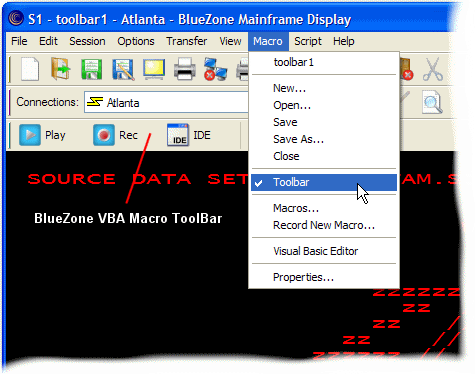
the BlueZone session. A BlueZone Macro toolbar displays and the BlueZone
Plus VBA menu looks similar to the one shown here: